
You run a Google Ad, send a postcard, and update your website. Then
the phone rings.
Good news. But which piece of marketing made it happen?
Call tracking connects an incoming phone call to the ad,
page, campaign, or source that drove it. It uses dedicated
phone numbers to route calls to your business while recording
attribution data behind the scenes.
That gives you a clearer answer than asking every caller, “How did
you hear about us?”
This guide explains how call tracking works, the
three main types, which metrics matter, and how to set it up without
making your phone system a science project.
What is call tracking?
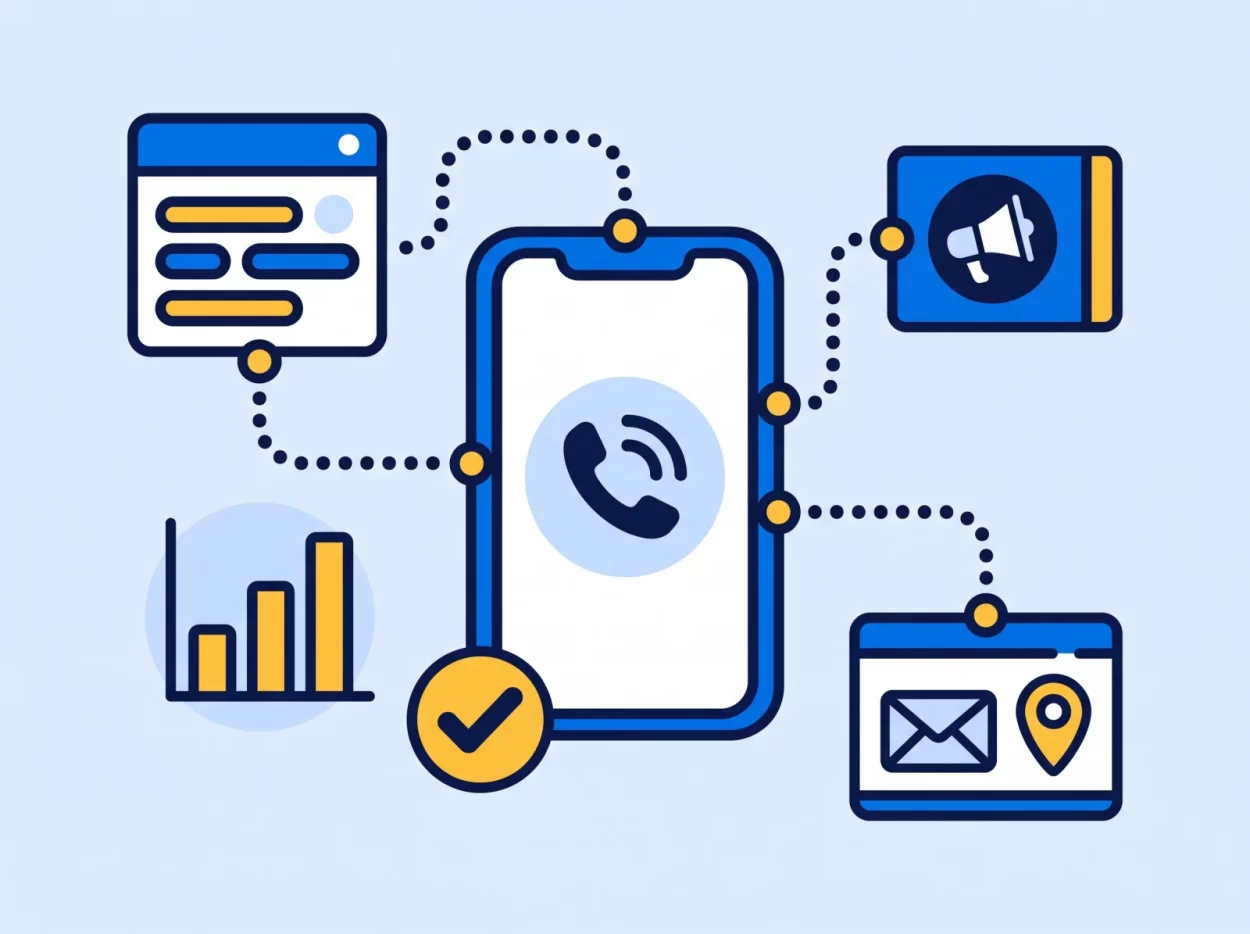
Call tracking is a marketing attribution method for phone calls.
A business assigns a dedicated phone number to a marketing source,
such as a Google Ad, website page, direct mail campaign, or local event.
When someone calls that number, the call routes to the business as
usual. The call tracking platform records which number they dialed and
connects the call to its source.
Think of a tracking number like a tracking link for your phone.
Different links tell you which email or ad produced a click. Different
phone numbers tell you which campaign produced a call.
Modern call tracking can add more context. Depending on the setup,
you may also see the visitor’s landing page, search keyword, call
duration, answer status, recording, transcript, and outcome.
How does call tracking work?
Most call tracking setups follow four steps.
1. Assign a tracking number
Choose a phone number for a specific source or campaign.
A plumber might use one number for Google Ads and another for a
direct mail offer. A real estate team could assign separate numbers to a
listing page, yard sign, and local event.
2. Route the call to your
team
When a customer dials the tracking number, it forwards to your
regular business line or call flow. Your team answers the same way it
answers any other call.
The tracking number sits between the campaign and your main line. It
does not require callers to follow a different process.
3. Capture the source and
call details
The platform records the marketing source tied to the number. It can
also capture details such as:
- Call date and time
- Answered or missed status
- Call duration
- Caller location
- Campaign, keyword, or landing page
- Call recording, transcript, or outcome when enabled
4. Compare results
The report shows which sources drive calls and what happens after the
phone rings.
That last part matters. Ten calls that go unanswered do not tell the
same story as ten calls that become appointments. Good call tracking
connects volume with quality and outcome.
The three main types of
call tracking
The right setup depends on the decision you need to make. Start with
the simplest level that gives you a useful answer.
Static call tracking
Static call tracking assigns one number to one
campaign or placement.
It works well for direct mail, print ads, billboards, event
materials, and individual landing pages. If the number rings, you know
which placement produced the call.
Static tracking is easy to understand and set up. Its limit is
detail. One number can identify a campaign, but it cannot identify each
visitor’s path through your website.
Source-level call tracking
Source-level tracking assigns a number to a
marketing channel, such as paid search, organic search, social media, or
email.
It helps you compare channels without tracking every visitor. A small
business that wants to know whether Google Ads or organic search drives
more calls may not need anything more complex.
Visitor-level call tracking
Visitor-level tracking uses Dynamic Number
Insertion, often shortened to DNI, to show a different number based on
the visitor or session.
A small script swaps the number shown on your website. When the
visitor calls, the platform can connect that call to details such as the
source, campaign, keyword, and pages viewed.
Visitor-level tracking provides deeper attribution, but it also needs
a thoughtful setup and enough numbers for the site’s traffic. Use it
when session or keyword detail will change a real marketing
decision.
See which marketing makes the phone ring
Assign a number to each campaign, route calls to your team, and compare answered, missed, and total calls in one report.
What should you measure?
Call volume is the starting point, not the finish line.
The most useful reports connect the source of a call to what happened
next. Review:
- Source and campaign: Which ad, page, or offline
placement drove the call? - Answered and missed calls: Did your team have a
chance to speak with the lead? - Call duration: Was it a quick wrong number or a
real conversation? - First-time and repeat callers: Are campaigns
bringing in new interest or existing customers? - Call outcome: Did the caller book, buy, request a
quote, or need a follow-up? - Cost per qualified call: How much did you spend to
create calls that fit your definition of a lead? - Conversion rate: Which sources produce calls that
become customers?
Call analytics can
also help you spot busy hours, common questions, and gaps in how calls
are handled. Recordings and transcripts are especially useful for
coaching when they are enabled and used with the proper consent.
Why small businesses use
call tracking
Most small businesses do not need another dashboard. They need better
answers about where to spend time and money.
Call tracking can help you:
- Put more budget behind campaigns that produce qualified calls
- Stop paying for sources that create activity but not customers
- Recover missed opportunities with faster follow-up
- Compare online and offline marketing in one reporting process
- Give sales or service teams better context before they return a
call
Here is a simple example.
A home services company runs search ads and sends a seasonal
postcard. Both make the phone ring, but the ads create more missed
after-hours calls while the postcard creates fewer calls that book at a
higher rate.
Without call tracking, the ad campaign looks stronger because it
produced more calls. With outcomes attached, the owner can improve
after-hours routing and keep the postcard campaign running.
The value comes from the decision, not the call count.
How to set up call tracking
You can start small and add detail later.
1. Choose the question
Decide what you need to learn.
Do you want to compare two ad channels? Measure a direct mail
campaign? See which website visits turn into calls? The question
determines the setup.
2. Pick the sources
List the campaigns or channels that deserve their own number. Start
with the ones that have meaningful spend or an active decision attached
to them.
3. Assign numbers and routing
Give each source a tracking number, then route those calls to the
right person, team, or location. Set after-hours handling before the
campaign goes live.
4. Connect your reporting
tools
Send call events to the systems your team already reviews. For
example, 800.com supports integrations for Google Ads, Google
Analytics, CRMs, and automation tools.
This keeps call data beside the clicks, forms, and customer records
tied to the same campaign.
5. Test every path
Call each number before launch. Confirm the call reaches the right
destination, the source appears in the report, and any ad or analytics
event fires correctly.
A tracking setup that sends the lead to the wrong voicemail is very
accurate and completely useless.
6. Review outcomes, not only
volume
Set a regular review cadence. Compare qualified calls, missed calls,
and conversions by source. Then change budget, routing, or follow-up
based on what you find.
Call tracking best practices
Keep the setup tied to decisions your team can make.
- Define a qualified call. A long call is not
automatically a good lead. Use outcomes that match the business, such as
booked appointment, quote request, or completed sale. - Keep campaign names consistent. Reports become hard
to use when every person names the same source differently. - Test routing after changes. A new schedule, team
member, or phone menu can break a path that worked last month. - Connect calls to the customer record. Source data
is more useful when sales and service teams can see it beside the rest
of the relationship. - Listen for patterns. Recordings, transcripts, and
tools such as 800
Intelligence can surface common objections and next steps when those
features are enabled. - Respect privacy rules. Recording and consent
requirements vary by location. Tell callers when required, limit access
to sensitive data, and get legal guidance for your situation.
Who gets the most
value from call tracking?
Call tracking is useful when phone calls are a meaningful step toward
a sale, booking, or service request.
That often includes:
- Home services companies comparing ads, directories, and mailers
- Law firms measuring consultation sources
- Real estate teams tracking listings and campaigns
- Automotive businesses measuring sales and service inquiries
- Agencies reporting calls and outcomes across clients
- Multi-location teams routing calls by campaign or market
If your team rarely receives sales or service calls, a complex setup
may create more reporting than value. If one new customer can justify
the cost of a campaign, better call attribution can be worth the
effort.
How to choose a call
tracking tool
Start with the setup you need now, then check whether the platform
can grow with you.
Look for:
- Local and toll-free number availability
- Static tracking and Dynamic Number Insertion
- Flexible call routing and after-hours options
- Clear reporting for missed, answered, and qualified calls
- Recordings and transcripts if your team needs them
- Integrations with your ads, analytics, CRM, and workflow tools
- Role-based access and privacy controls
- Pricing that is clear about numbers, minutes, and add-ons
If you are comparing vendors, use the separate guide to find
the right call tracking software for your business. This article
stays focused on the method and the setup.
Frequently asked questions
What is the purpose of
call tracking?
Call tracking shows which marketing source produced a phone call. It
helps a business compare campaigns, review call outcomes, and decide
where to spend its budget.
How does a call tracking
number work?
A tracking number forwards calls to your regular business line while
the platform records the source tied to that number. The caller reaches
your team as usual.
What is Dynamic Number
Insertion?
Dynamic Number Insertion is a website script that swaps the displayed
phone number based on the visitor or traffic source. It can connect a
call to a campaign, keyword, landing page, or browsing session.
Does call tracking record
every call?
Not always. Recording depends on the platform, plan, and account
settings. For 800.com, call recording and transcription are included
with all current call tracking plans, with plan-specific transcription
allowances. Follow the consent rules that apply where you operate.
Can
call tracking work with Google Ads and Google Analytics?
Yes. A call tracking platform can send call events and source data to
ad and analytics tools. 800.com offers integrations for Google Ads and
Google Analytics, along with other marketing and CRM systems.
Do I need to replace my
business number?
No. A tracking number can forward to your current business line. Your
main number stays in place while the tracking number measures a specific
campaign or source.
Start tracking what works
The phone ringing is useful. Knowing why it rang is better.
800.com call tracking lets you assign numbers to traffic sources,
route calls through your existing workflow, and compare total, answered,
and missed calls by campaign. You can also connect call data to your
marketing stack and use recordings, transcripts, or AI analysis where
your plan and settings support them.